밝기를 크게 보고 바로 조정Brightness, front and center
큰 밝기 링과 색온도 슬라이더를 한 화면에서 조정합니다. 선택한 화면마다 값이 따로 저장됩니다.Adjust the large brightness dial and color-temperature slider in one view. Each display keeps its own values.
밝기와 색온도, 프리셋, 상태 확인과 복구를 한 창에서 다루는 macOS 디스플레이 앱입니다.A macOS display app for brightness, color temperature, presets, live status, and recovery — all in one window.
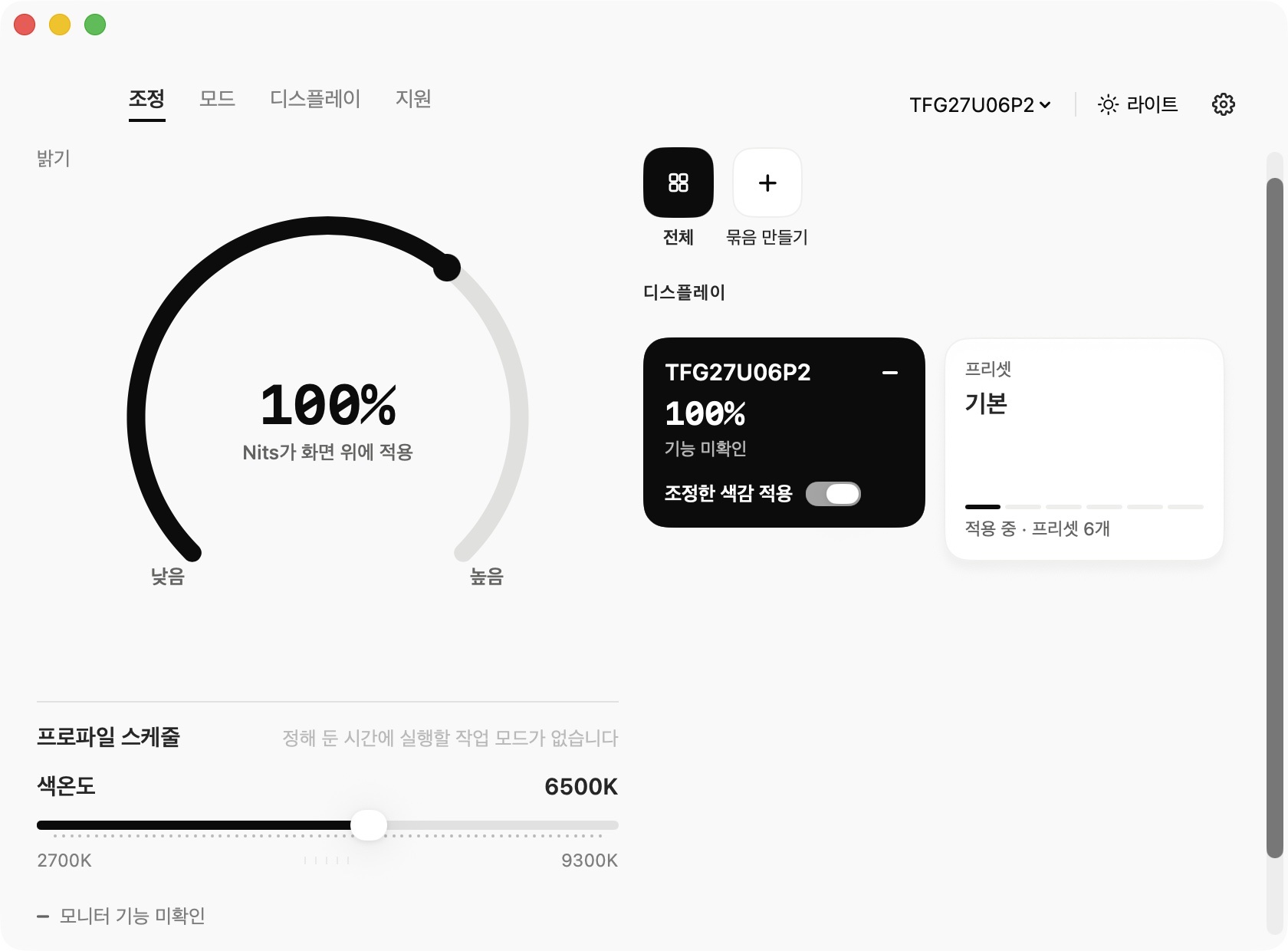
선택한 화면마다 값이 따로 저장되고, 문제가 생기면 같은 창에서 바로 되돌립니다.Every display keeps its own values, and if something goes wrong you undo it from the same window.
큰 밝기 링과 색온도 슬라이더를 한 화면에서 조정합니다. 선택한 화면마다 값이 따로 저장됩니다.Adjust the large brightness dial and color-temperature slider in one view. Each display keeps its own values.
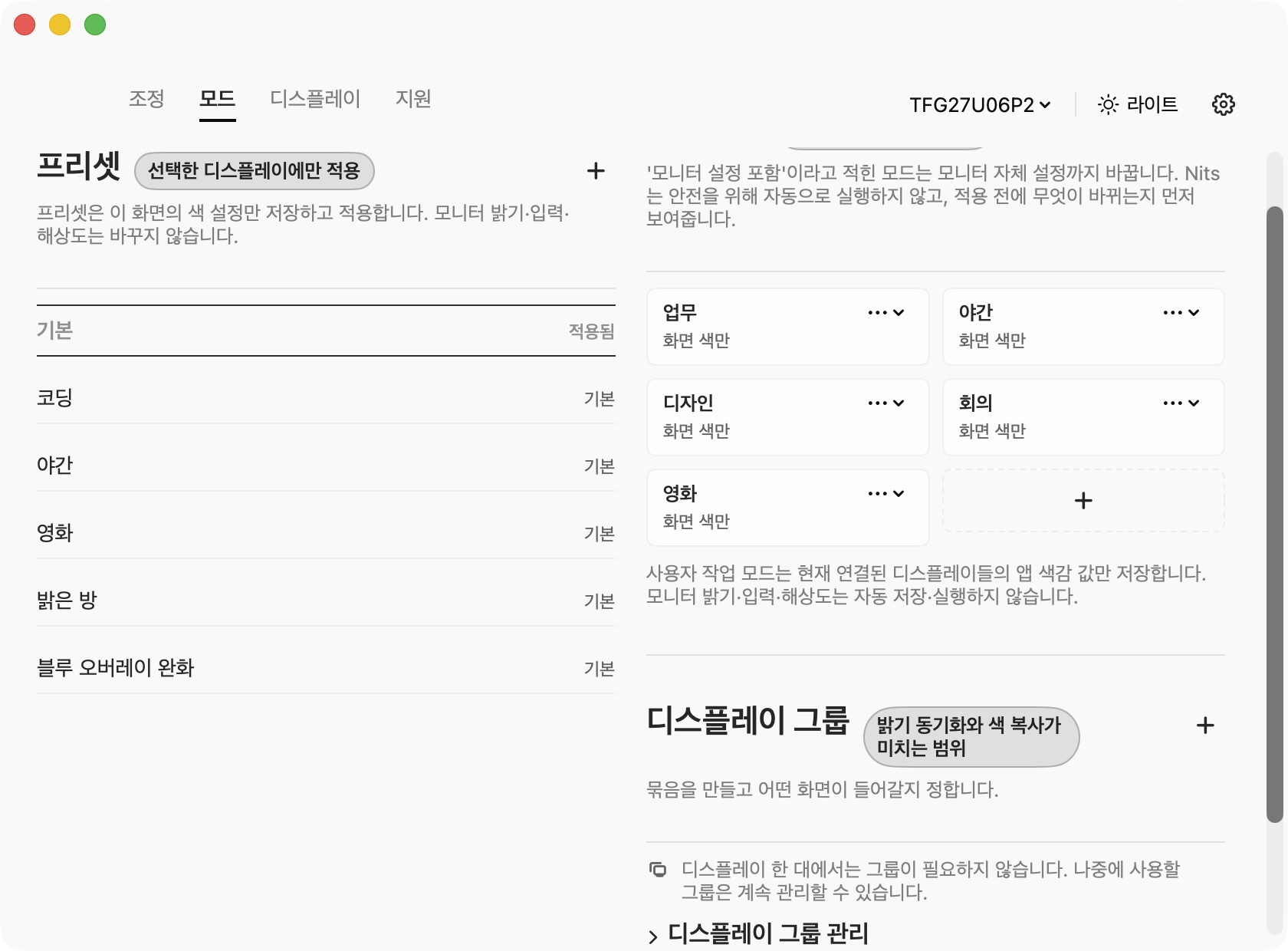
업무, 야간, 디자인처럼 자주 쓰는 색감은 프리셋과 작업 모드로 저장해 필요한 화면에 적용합니다.Save recurring setups for work, night, or design, then apply them to the display that needs them.
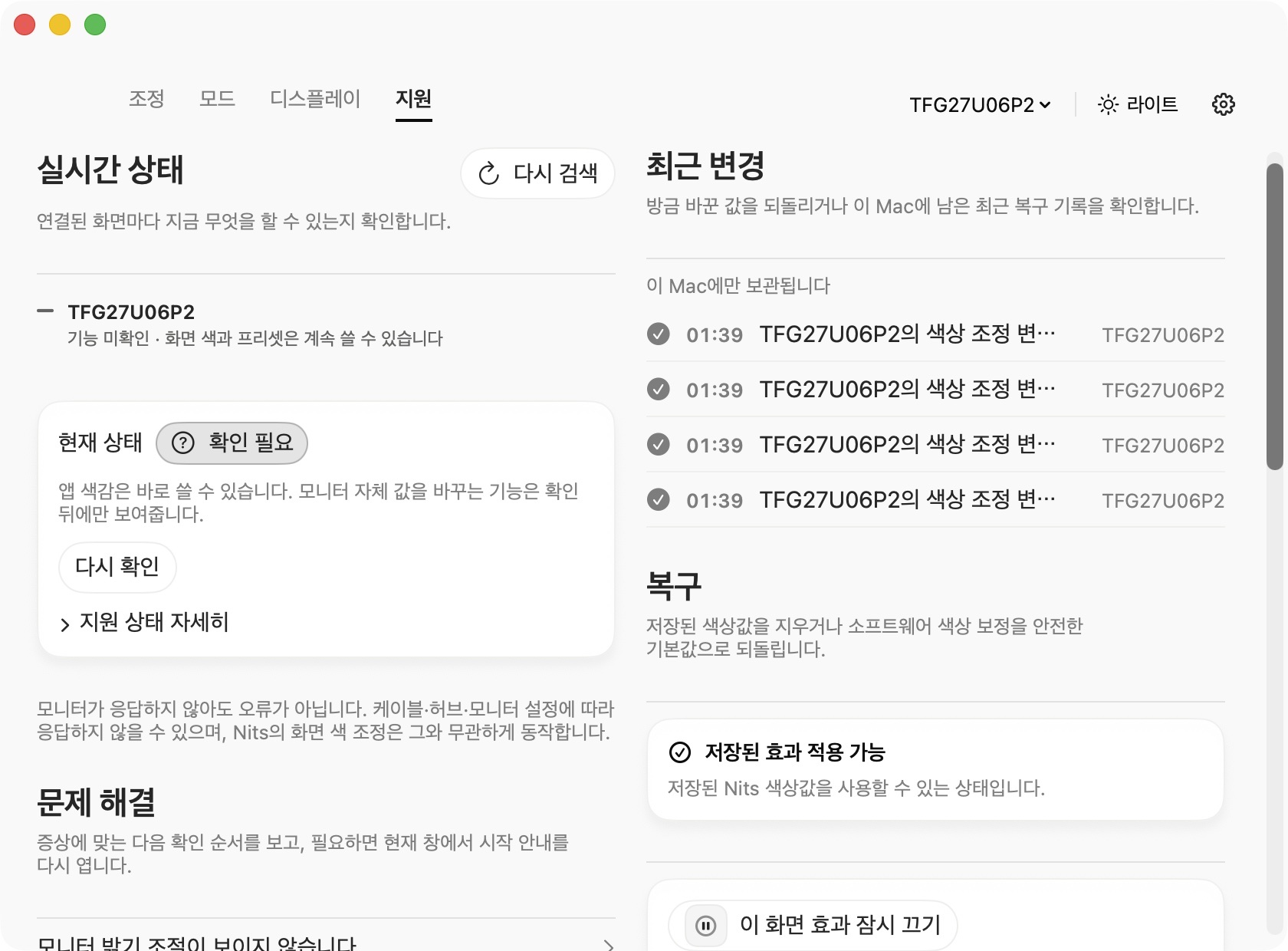
화면마다 지금 쓸 수 있는 기능을 확인하고, 최근 변경과 복구 상태를 같은 지원 화면에서 살펴봅니다.See what each display can do, then review recent changes and recovery status from the same support screen.
업무, 야간, 디자인처럼 반복되는 설정을 모드로 묶어 두고, 필요한 화면에만 적용합니다. 저장한 값은 화면을 다시 연결해도 그대로 남습니다.Bundle repeating setups for work, night, or design into modes and apply them only to the display that needs them. Saved values survive a reconnect.
지원 화면에서 연결된 화면이 지금 무엇을 지원하는지, 최근에 무엇이 바뀌었는지 확인합니다. 되돌려야 하면 저장한 값을 남긴 채 기본값으로 돌아갑니다.The support screen shows what each connected display currently supports and what changed recently. When you need to roll back, it returns to defaults while your saved values stay.
버전 0.3.15 · 빌드 31 · macOS 14 이상 · Developer ID 서명 · Apple 공증Version 0.3.15 · Build 31 · macOS 14 or later · Developer ID-signed · Apple notarized
무료 DMG 다운로드Download free DMG서명·공증과 체크섬을 직접 확인할 수 있습니다. 선택 사항이라 보통은 건너뛰어도 됩니다.You can check the signature, notarization, and checksum yourself. It is optional, so most people can skip it.
SHA-256
터미널로 직접 받기Download from Terminal
curl -L -o Nits-0.3.15-b31.dmg https://coden.kr/products/nits/download
받은 DMG 파일 대조Compare the DMG you downloaded
파일은 이 브라우저 안에서만 확인하며 어디에도 업로드하지 않습니다. 이 대조는 파일이 배포본과 같은지만 확인합니다.The file is checked inside this browser only and never uploaded. This comparison tells you only that the file matches the published build.
아니요. RGB 곡선과 색감 조정은 macOS 화면 출력 색을 보정합니다. 모니터 펌웨어 값은 지원이 확인된 DDC/CI 항목만 별도로 다룹니다.No. RGB curves and color controls adjust macOS display output. Firmware values are handled only for confirmed DDC/CI controls.
시스템 설정의 개인정보 보호 및 보안에서 실행을 허용한 뒤 다시 열어 주세요.Allow the app in System Settings → Privacy & Security, then open it again.
⌘⇧L을 누르면 기본 색감과 안전한 밝기로 돌아옵니다. 저장해 둔 값은 그대로 남습니다.Press ⌘⇧L to restore default color and a safe brightness. Your saved values stay untouched.